
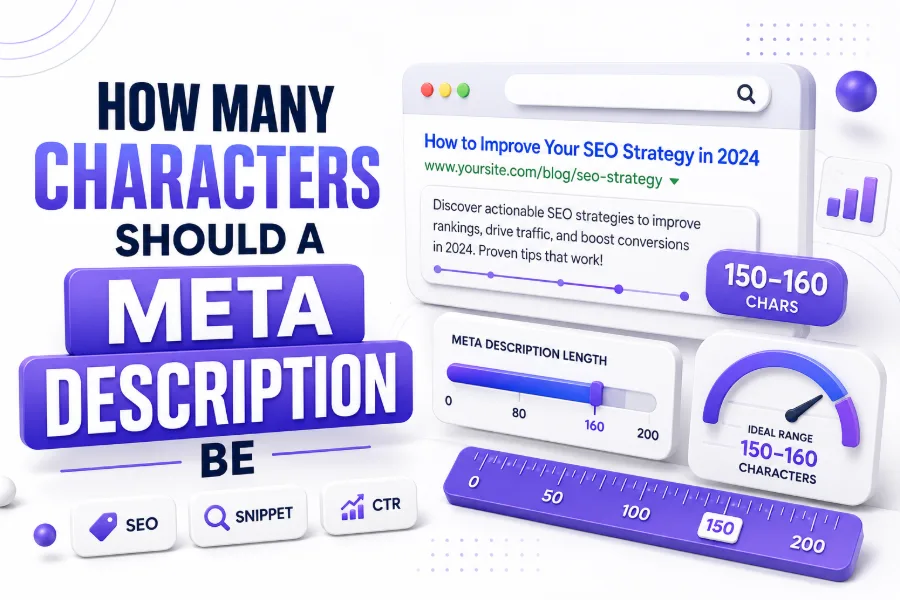
A meta description should usually be around 150 to 160 characters for most SEO pages. This length gives enough room to explain the page clearly while reducing the chance that the snippet will be cut off in search results.
Google does not set a strict character limit for meta descriptions. Its own documentation says there is no fixed length limit, but snippets may be shortened depending on device width and search result layout.
That means character count is a practical guideline, not a hard rule. A good meta description should be clear, accurate, useful, and written for the searcher first, instead of being written only to hit a number.
Why 150 to 160 Characters Is Commonly Recommended
The 150 to 160 character range became popular because it often fits well in desktop search results. It gives enough space for the topic, benefit, and a natural reason for someone to click.
On mobile, the visible space can be smaller because screen width changes how snippets appear. That is why the most important words should appear early, especially the main topic and page benefit.
Many SEO professionals still use this range because it is practical. It does not guarantee full display every time, but it helps writers avoid descriptions that are too short, vague, or unnecessarily long.
Quick Meta Description Length Guide
- Ideal target: 150 to 160 characters
- Safe mobile-friendly range: 120 to 155 characters
- Very short descriptions: often under-explain the page
- Very long descriptions: may be truncated in search results
- Best practice: place the main value early
- Main goal: improve relevance and click interest
Google Does Not Always Use Your Meta Description
A common mistake is thinking Google always shows the exact meta description written on the page. In reality, Google may rewrite or replace it with visible page content when another snippet seems more relevant.
This usually happens when the written description does not match the search query well. Google may pull a sentence from the page body, heading area, product content, or other visible text instead.
Because of this, meta descriptions should match the page closely. They should describe what users will actually find, not promise something different just to attract clicks.
Character Count Versus Pixel Width
Meta descriptions are often discussed in characters, but search engines display snippets based more on available space and pixel width. Different letters take different amounts of space on the screen.
For example, “W” is wider than “i,” so two descriptions with the same character count may display differently. This is one reason a 160-character description may show fully in one case and cut off in another.
Character count is still useful because it is simple and easy to manage. But for more precise SEO work, a snippet preview or pixel-based checker can help you see how the description may appear.
Character Length Comparison
| Length | Best Use |
|---|---|
| Under 100 characters | Too short for most SEO pages |
| 120 to 140 characters | Good for mobile-friendly snippets |
| 150 to 160 characters | Common SEO target range |
| 160 to 180 characters | May work, but can be cut off |
| 180+ characters | Usually too long for clean display |
Best Length for Blog Meta Descriptions
For blog posts, a meta description should usually stay between 140 and 160 characters. This gives enough space to explain the article topic, match search intent, and encourage the user to read more.
A blog description should not repeat the title word for word. Instead, it should add more context about what the reader will learn, solve, compare, understand, or decide after reading the post.
For example, if the blog title explains the topic, the description can explain the benefit. This makes the search result feel more helpful and less repetitive to users.
Best Length for Service Page Meta Descriptions
Service page meta descriptions should usually be around 145 to 160 characters. This gives enough space to mention the service, location if needed, audience, and a clear reason to choose the page.
A service page description should feel specific. Instead of saying “We offer quality services,” explain the exact service and value, such as consultation, pricing clarity, expert support, or fast response.
Local service pages may need city or area keywords. In that case, put the location naturally near the beginning, but avoid stuffing multiple city names into one short description.
Best Length for Product Page Meta Descriptions
Product page meta descriptions should often stay between 130 and 155 characters. Product snippets need to be direct because shoppers want quick information about features, benefits, price, size, use, or availability.
A strong product description does not need to explain everything. It should highlight the main reason someone should click, such as quality, use case, compatibility, material, offer, or trusted category.
If the product has a known brand or model name, include it naturally. This helps match search intent and makes the snippet more useful for buyers who already know what they want.
Product Meta Description Formula
Product name + main benefit + key feature + action/value
Example:
“Shop lightweight running shoes with breathable mesh, soft cushioning, and daily comfort for training, walking, and active routines.”
This formula keeps the description useful without making it feel overloaded.
Best Length for Homepage Meta Descriptions
A homepage meta description can be slightly broader because it represents the entire website. The ideal length is still around 150 to 160 characters, but the message should focus on brand identity and purpose.
The homepage description should explain who the site helps and what it offers. It should not try to list every service, product, category, and benefit in one crowded sentence.
A good homepage meta description feels clear and confident. It gives users a fast reason to understand the website and decide whether it matches what they are searching for.
Best Length for Category Page Meta Descriptions
Category page descriptions should usually be between 140 and 160 characters. These pages often target broader search terms, so the description should explain the collection, options, and user benefit clearly.
For ecommerce category pages, mention product type, variety, use case, or buying advantage. For blog categories, explain the kind of guides or topics readers will find inside the section.
Avoid writing generic descriptions across every category. Duplicate meta descriptions can reduce clarity and make pages look less useful in search results, even if the pages themselves are different.
How to Write a Strong Meta Description
A strong meta description starts with the searcher’s need. Before writing, ask what the user wants to know, compare, buy, fix, learn, or decide when they search that keyword.
Then write one clean sentence, or two short sentences, that explain the page clearly. Include the main keyword naturally, but do not force it if it makes the description sound awkward.
Finally, add a reason to click. This can be a benefit, outcome, promise of clarity, guide format, comparison, checklist, or practical answer that matches the page content.
Simple Meta Description Formula
| Part | Purpose |
|---|---|
| Main keyword | Shows relevance to the search |
| Page value | Explains what the user gets |
| Detail | Adds specificity or trust |
| Soft action | Encourages the click naturally |
Examples of Good Meta Descriptions
A good meta description should sound natural and helpful. It should not be packed with repeated keywords, empty claims, or exaggerated promises that the page does not support.
For a blog page, you might write: “Learn how long a meta description should be, why Google cuts snippets, and how to write cleaner SEO descriptions for better clicks.”
For a service page, you might write: “Get reliable website maintenance support with updates, security checks, backups, and performance care to keep your business site running smoothly.”
Examples of Weak Meta Descriptions
A weak meta description often says too little or tries to say too much. It may feel generic, stuffed with keywords, or disconnected from what the actual page provides.
For example, “Best services for all customers at affordable prices” is weak because it is vague. It does not explain the service, audience, location, benefit, or reason to click.
Another weak example is a description that repeats the keyword too many times. Searchers want clarity, not robotic repetition, and Google may ignore descriptions that do not help users.
Weak Versus Better Example
| Weak Description | Better Description |
|---|---|
| Learn SEO meta description tips and SEO meta description length for SEO. | Learn the ideal meta description length, how snippets work, and simple ways to write clearer SEO descriptions. |
| We provide the best digital services for everyone. | Build a cleaner online presence with web design, SEO, and maintenance services made for growing businesses. |
Meta Description and Click-Through Rate
Meta descriptions are not a direct ranking factor in the same way page content and links can be. However, they can influence how people respond when your page appears in search results.
A clear description can improve click interest because it helps users understand the page before opening it. If your snippet matches their intent, they are more likely to choose your result.
This makes meta descriptions important for presentation. They act like a short preview, helping your page compete with other results even when several pages cover similar topics.
Keyword Placement in Meta Descriptions
The main keyword should usually appear naturally in the meta description. If it fits near the beginning, that is often better because users can quickly see the match between their search and your page.
However, keyword placement should not damage readability. A description that sounds smooth and useful is better than one that awkwardly forces the exact phrase into the first few words.
For the keyword how many characters should a meta description be, the phrase can fit naturally in a guide-style snippet. The key is to keep the rest of the sentence helpful and clear.
Common Meta Description Mistakes
One common mistake is writing descriptions that are too long. A long description may still be stored in the page code, but search results may cut it before the most important message appears.
Another mistake is using the same description on many pages. Each page should have a unique description that reflects its specific topic, purpose, and search intent.
A third mistake is writing descriptions only for search engines. Real people read snippets, so the wording should feel useful, natural, and connected to what the page actually offers.
Mistakes to Avoid
- Writing over 180 characters for normal pages
- Repeating the same keyword unnaturally
- Copying one description across many pages
- Making promises the page does not answer
- Starting with vague phrases like “Welcome to our website”
- Forgetting mobile users and snippet cutoffs
Meta Description Length for Mobile Search
Mobile search results can display snippets differently because phones have smaller screens. A description that looks fine on desktop may be shortened earlier on mobile depending on layout and query.
Because of this, many writers keep the strongest message inside the first 100 to 120 characters. That way, even if the snippet is shortened, the user still sees the key idea.
Mobile-first thinking is important because many searches happen on phones. A clean, front-loaded meta description can make your result easier to understand in a smaller space.
Meta Description Length for WordPress Sites
WordPress users often manage meta descriptions through SEO plugins. These tools may show color indicators or length bars to help writers stay within a recommended range.
Most plugin recommendations are based on practical search display guidance, not a fixed Google rule. They are useful for keeping descriptions readable, but they should not replace common sense.
If a plugin says your description is slightly short or long, review it manually. The best description is one that explains the page clearly and looks natural to a human searcher.
Using a Character Counter for Meta Descriptions
A character counter is useful when writing meta descriptions because it lets you check length quickly. This is especially helpful when creating many page descriptions for blogs, services, products, or categories.
You can write the description naturally first, then trim it until the main message fits within a practical range. This usually creates better copy than trying to write perfectly within a number from the start.
For faster checking, use a character counter before publishing. You can also use a word counter when planning longer SEO content around the same keyword.
Meta Description Writing Checklist
Before publishing, check whether the description reflects the page accurately. A description should not trick users into clicking, because disappointed visitors may leave quickly after opening the page.
Next, check whether the main topic appears early enough. If the first half of the description is vague, rewrite it so the page value becomes clear sooner.
Finally, check the length. Aim for around 150 to 160 characters when possible, but do not sacrifice meaning just to hit an exact count.
Final Checklist
- Is the description unique?
- Is the main topic clear?
- Does it match search intent?
- Is the keyword used naturally?
- Is the value easy to understand?
- Is it close to 150 to 160 characters?
- Does it avoid overpromising?
Conclusion
Meta description length matters because it affects how your page appears in search results. While Google does not enforce a strict character limit, descriptions that are too long may be shortened on desktop or mobile.
For most pages, the best practical target is around 150 to 160 characters. Shorter mobile-friendly descriptions can also work well when the message is clear, specific, and focused on the user’s need.
So, how many characters should a meta description be? A strong meta description should usually be about 150 to 160 characters, with the most important value placed early and written in a natural, human way.
FAQ
What is the ideal meta description length?
The ideal meta description length is usually around 150 to 160 characters. This range gives enough space to explain the page while reducing the chance that the snippet will be cut off in search results.
Does Google have a meta description limit?
Google does not set a strict character limit for meta descriptions. However, search snippets can be truncated depending on device width, query, layout, and how Google chooses to display the result.
Can a meta description be too short?
Yes, a meta description can be too short if it does not explain the page clearly. Very short descriptions may miss useful details, benefits, or keywords that help searchers understand the result.
Should every page have a unique meta description?
Yes, important pages should have unique meta descriptions. A unique description helps searchers understand each page and avoids using the same generic snippet across multiple pages with different purposes.
Do meta descriptions improve rankings?
Meta descriptions are not usually treated as a direct ranking factor, but they can influence clicks. A clear, relevant description can help users choose your result when it appears in search results.